
Sign on at the door
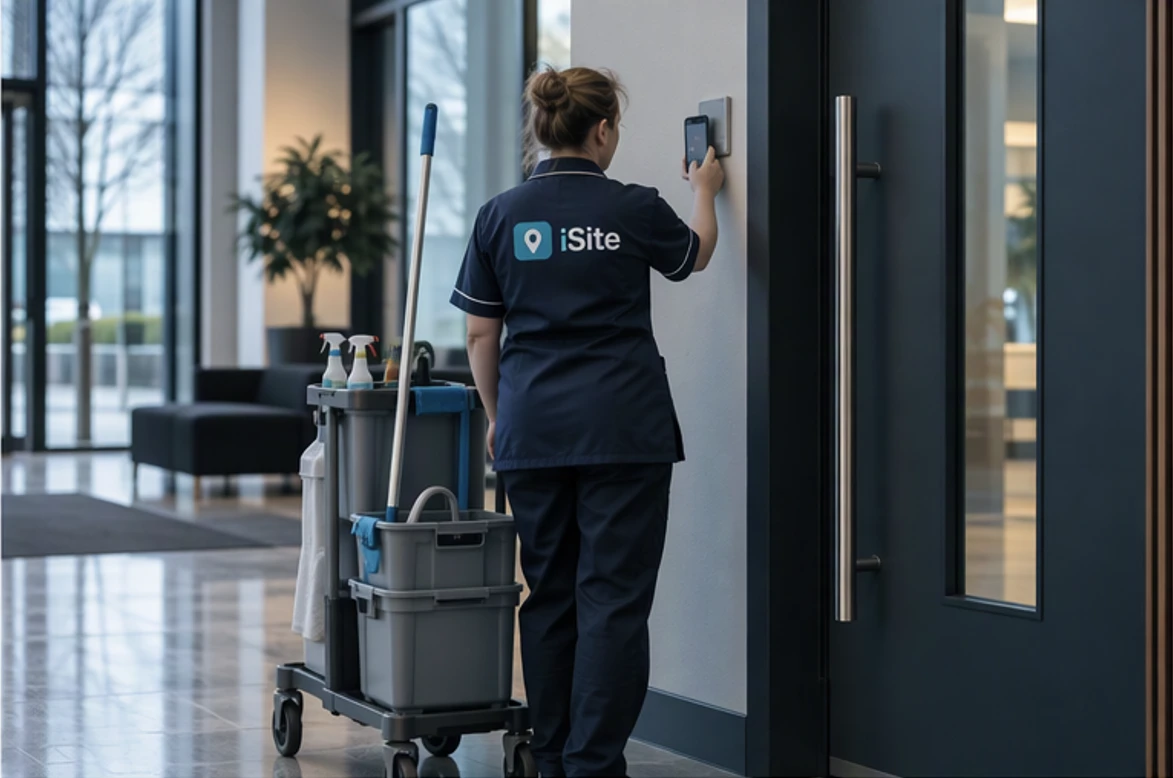
A cleaner scans their team's QR code on their own phone and picks today's job for that client, or logs an ad-hoc one. No kiosk to install at the client's building, and only your own staff can use the code.
iSite™ for contract cleaning
Your cleaners work across offices, schools and shops, often at hours when nobody from the office is around. iSite™ shows who is at which client's premises right now, plans the week's jobs across your crews, and turns their sign-ons into weekly hours a manager approves.
Location is recorded at sign-on and sign-off only. Never tracked in between.
Built for cleaning teams
Each crew is a roving team in iSite™: a team, not a place. Cleaners sign on wherever the job is, and the office gets an honest record of who was where, and for how long.
A cleaner scans their team's QR code on their own phone and picks today's job for that client, or logs an ad-hoc one. No kiosk to install at the client's building, and only your own staff can use the code.
A live map shows a pin for each cleaner currently on a job. When a client asks whether someone came in last night, the register shows who signed on, where and for how long.
Keep each client with their address and contact, hold a backlog of jobs, and drag them onto a crew and a day. The planner shows what is scheduled, the planned hours and what is still waiting.
Each person's week is built from their own sign-ons, broken down by job and client. A manager approves the week and exports it to CSV for payroll or client billing.
Location is captured when someone signs on and when they sign off, and at no other time. Your staff get accountability without feeling watched.
For a hospital, campus or shopping centre with a resident team, set it up as a fixed site instead, with its own induction, a geofence and a sign-in point at the staff entrance.
How it works
One roving team per crew or area, each with its own QR code for your cleaners' phones.
Record your clients and their regular and one-off jobs.
Drag each job onto a crew and a day in the week planner.
Cleaners scan, pick the job and start. Their time lands against it.
Check each person's hours by job and client, approve, and export.
We'll set up a demo with crews, clients and a week of jobs, so you can see the planner, the live map and the timesheets with your own eyes.
Or reach us directly at hello@srscloud.co.uk